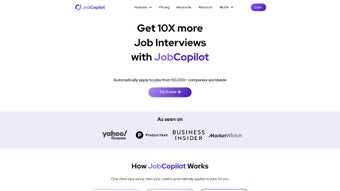

Download JobCopilot – AI‑Powered Job Application Automation Tool
JobCopilot is an AI‑driven web application designed to streamline the entire job‑search process. By automating repetitive tasks such as resume tailoring, cover‑letter generation, and bulk job submissions, it helps job seekers focus on interview preparation and career growth. With access to more than 50,000 companies worldwide, the platform lets users define precise parameters—industry, location, salary range, seniority level—to ensure only the most relevant opportunities are targeted. The built‑in AI Resume Builder and AI Cover Letter Builder improve the quality of application materials, while a real‑time Job Application Tracker consolidates every submission into a single, easy‑to‑read dashboard. JobCopilot scans new postings daily, allowing users to submit up to 50 applications per day without missing fresh openings. Whether you’re a recent graduate, a mid‑career professional, or a senior executive, JobCopilot adapts to your unique needs, saving you countless hours and increasing the likelihood of landing interviews. This review explores the core features, installation steps, platform compatibility, and the overall value proposition of JobCopilot, helping you decide if it’s the right tool for your job‑search strategy.Key Features That Set JobCopilot Apart
- AI Resume Builder: Upload a basic resume and let the AI restructure it to match each job description, highlighting relevant skills and achievements.
- AI Cover Letter Builder: Generate personalized cover letters in seconds, using tone and language that align with the target company’s culture.
- Job Application Tracker Dashboard: Monitor the status of every submission—pending, reviewed, interview‑requested—on a single, color‑coded interface.
- Mass Application Engine: Apply to up to 50 positions per day with a single click, while preserving individualized content for each posting.
- Daily Job Scan: The platform crawls major job boards and company career pages every 24 hours, ensuring you never miss a new opportunity.
- Customizable Filters: Set parameters for industry, role, salary, location, remote‑work preference, and experience level to narrow down listings automatically.
- Analytics & Reporting: Track conversion rates (applications vs. interviews) and receive suggestions on how to improve your profile based on AI insights.
- Secure Cloud Storage: All resumes, cover letters, and application data are encrypted in transit and at rest, complying with GDPR and CCPA standards.
- Multi‑Platform Access: Use JobCopilot via any modern web browser on Windows, macOS, Linux, Android, or iOS devices without installing additional software.
- Continuous Updates: The development team rolls out new AI models and UI enhancements monthly, keeping the tool current with recruiting trends.
Installation, Setup, and Platform Compatibility
JobCopilot is delivered as a cloud‑based SaaS solution, which means there is no traditional “install” process on your computer. Getting started is as simple as creating an account on the official website, verifying your email, and logging into the secure dashboard. Below is a step‑by‑step guide that walks you through the onboarding experience:
- Create an account: Visit JobCopilot.com, click “Sign Up,” and fill in your name, professional email, and a strong password. You’ll receive a verification link to activate the account.
- Choose a subscription plan: JobCopilot offers a free trial with limited daily applications, followed by tiered paid plans (Basic, Pro, Enterprise). Select the plan that matches your application volume.
- Upload your base resume: Drag and drop a PDF or DOCX file. The AI parses the content and creates a structured profile.
- Configure your job preferences: Use the “Filters” tab to set industry, location, salary range, remote‑work toggle, and seniority level. These preferences will power the daily job scan.
- Activate AI tools: Turn on the Resume Builder and Cover Letter Builder. You can customize tone (formal, conversational, creative) to align with your personal brand.
- Start the Job Application Tracker: The dashboard will automatically populate with new matches. Click “Apply All” or select individual listings to submit.
JobCopilot is compatible with any operating system that supports a modern web browser (Chrome, Edge, Firefox, Safari). The responsive design works equally well on desktop computers (Windows 10/11, macOS Monterey or later) and mobile devices (Android 9+ and iOS 13+). Because the application runs entirely in the cloud, there are no system‑specific dependencies, and updates are applied instantly without user intervention.
Security is built into the workflow: all data transfers use HTTPS, and stored files are encrypted with AES‑256. For enterprises, single sign‑on (SSO) via SAML or OAuth is available, allowing seamless integration with existing identity providers such as Azure AD or Okta.
Final Thoughts: Pros, Cons, Frequently Asked Questions, and How to Get Started
Pros
- Massive time savings – up to 50 applications per day with personalized content.
- AI‑generated resumes and cover letters improve relevance and ATS compatibility.
- Centralized tracker eliminates the need for spreadsheets or manual follow‑up.
- Daily job scanning ensures you never miss fresh openings.
- Cross‑platform accessibility via any web browser.
- Secure cloud storage and compliance with major data‑privacy regulations.
- Transparent pricing with a free trial to test core functionalities.
Cons
- Reliance on internet connectivity – offline work is not possible.
- AI suggestions may occasionally need manual tweaking for niche industries.
- Higher‑tier plans can become costly for users applying to hundreds of jobs monthly.
- Learning curve for customizing filters and AI tone settings.
Frequently Asked Questions
Is JobCopilot truly free to use?
JobCopilot offers a 14‑day free trial that includes up to 10 daily applications. After the trial, you must choose a paid subscription to continue using the bulk‑apply feature. A limited “Free” tier remains available for basic job searches, but it does not include AI resume or cover‑letter generation.
Can I import my existing LinkedIn profile?
Yes. JobCopilot can pull data from your LinkedIn profile using an API token. The imported information is then used to pre‑fill your resume and match keywords for job postings.
How does the AI ensure my resume passes ATS filters?
The AI analyses each job description, extracts required keywords, and restructures your resume to prioritize those terms. It also formats the document according to best‑practice ATS guidelines (simple fonts, proper headings, no tables).
What data privacy measures are in place?
All personal data is encrypted at rest and in transit. JobCopilot complies with GDPR, CCPA, and ISO‑27001 standards. Users can delete their account and all associated data at any time from the account settings.
Can I cancel my subscription anytime?
Yes. Subscriptions are month‑to‑month with automatic renewal. Cancelling through the dashboard stops future billing, and you retain access until the end of the current billing cycle.
Ready to accelerate your job hunt? Click the button below to start your free trial, set up your AI‑enhanced profile, and begin sending tailored applications in minutes. With JobCopilot’s powerful automation, you’ll spend less time filling out forms and more time preparing for interviews. Start Free Trial Today






